
Business Automation & Workflow Development
Many businesses still rely on repetitive manual processes that involve copying data between systems, sending notifications, generating reports, reviewing information, updating records, or coordinating tasks across multiple platforms.
I build custom business automation systems that connect those workflows and reduce unnecessary manual work.
I’m Tara Swain, a senior WordPress engineer and software architect with more than 20 years of web development experience. My automation work combines PHP, WordPress, APIs, webhooks, scheduled processing, messaging, dashboards, documents, AI, and business rules into practical operational systems.
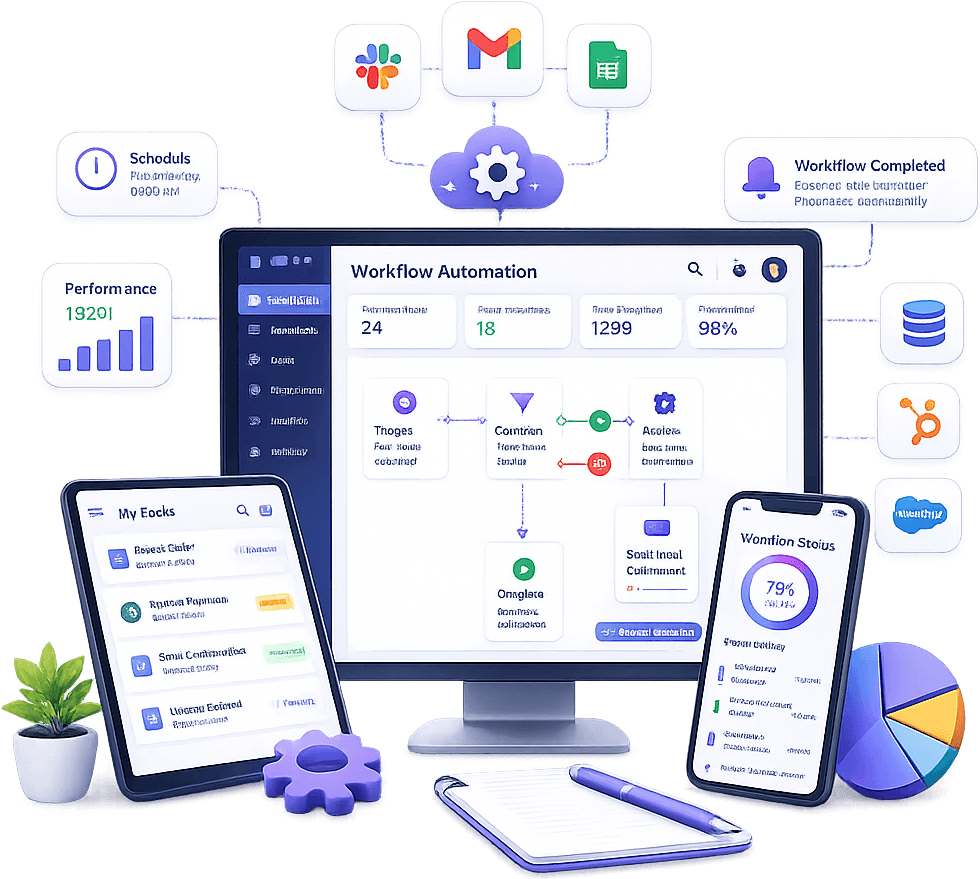
Automation Built Around Real Business Workflows
Business automation is most useful when it solves a specific operational problem.
Instead of starting with a tool, I start by understanding what employees are doing manually, where information moves, what decisions are required, and which systems are involved.
Common automation opportunities include:
- Moving data between platforms
- Sending notifications
- Generating reports
- Processing incoming requests
- Updating CRM records
- Synchronizing orders
- Generating documents
- Monitoring reviews
- Routing leads
- Scheduling recurring tasks
- Escalating exceptions
- Summarizing business data
Workflow Automation
A business workflow often spans several systems and several steps.
A typical automated workflow might look like:
- A customer submits a form
- The application validates the data
- A CRM record is created
- The appropriate team is notified
- An email or SMS is sent
- A follow-up task is scheduled
- The entire process is logged
Instead of requiring someone to manually complete each step, the application coordinates the process automatically.
API-Driven Automation
APIs make it possible for business systems to communicate directly.
I build automation involving:
- REST APIs
- OAuth
- API keys
- Webhooks
- Scheduled synchronization
- Background processing
- Custom middleware
This allows information to move automatically between websites, CRMs, eCommerce platforms, messaging systems, analytics services, POS platforms, and internal applications.
Webhook Automation
Webhooks allow workflows to begin immediately when an event occurs.
Examples include:
- A new order is placed
- A payment succeeds
- A customer submits a form
- A review is posted
- A subscription changes
- A message is delivered
- A CRM record is updated
The receiving application can then validate the event and trigger the correct business process.
Production webhook systems should also account for retries, duplicate events, authentication, logging, and delayed processing.
Scheduled Business Processes
Not every workflow needs to happen in real time.
Scheduled automation can handle:
- Daily imports
- Weekly reports
- Monthly summaries
- Data cleanup
- Customer reminders
- Analytics processing
- Inventory synchronization
- Review processing
- Backup operations
Depending on the application, these processes may run through WordPress cron, server cron, queues, or dedicated background workers.
Email & SMS Automation
Communication is one of the most common areas for business automation.
I build workflows involving:
- Transactional email
- SMS notifications
- Appointment reminders
- Lead follow-up
- Order notifications
- Review alerts
- Internal team notifications
- Escalation messages
Communication can be triggered by real-time events, scheduled rules, or changes inside another business system.
Twilio Automation
I build communication workflows using Twilio for SMS, MMS, voice, and automated call processes.
This may include:
- SMS notifications
- Two-way messaging
- Voice routing
- Call notifications
- Voicemail workflows
- Delivery status processing
- Automated follow-up
- AI voice systems
These systems can be connected to WordPress, CRM platforms, internal applications, or custom APIs.
Lead & CRM Automation
Sales teams often spend unnecessary time manually moving lead information between systems.
Automation may include:
- Creating CRM contacts from website forms
- Lead routing
- Lead qualification
- Lifecycle updates
- Automated follow-up
- Sales notifications
- Data synchronization
The workflow can preserve the CRM as the system of record while allowing websites and other applications to interact with it automatically.
eCommerce & Order Automation
eCommerce workflows often continue well beyond checkout.
Custom automation may handle:
- Order synchronization
- Payment updates
- Inventory changes
- Fulfillment routing
- CRM updates
- Customer messaging
- Document generation
- Operational alerts
These workflows can connect WooCommerce, Shopify, POS systems, payment providers, fulfillment services, and internal platforms.
Review Management Automation
Multi-location businesses may receive hundreds or thousands of customer reviews across their locations.
Automated workflows can:
- Receive new review notifications
- Identify the correct location
- Analyze sentiment
- Generate response suggestions
- Escalate negative reviews
- Notify management
- Track response status
- Generate reporting
AI can assist with interpretation and response generation while business rules determine what happens next.
Document Automation
Many business processes involve documents that are created, updated, reviewed, emailed, or stored manually.
I build automation for:
- PDF generation
- DOCX generation
- Template-based documents
- Document population
- Secure downloads
- Document search
- File storage
- Document notifications
These workflows can be integrated with customer portals, CRM systems, internal tools, and approval processes.
Reporting Automation
Reporting is another area where businesses often spend substantial time gathering and formatting information manually.
Automated reporting can include:
- Daily summaries
- Weekly performance reports
- Monthly executive reports
- Location reports
- Marketing reports
- Sales reports
- CSV and Excel exports
- PDF reports
- Email digests
Data can be collected automatically from APIs, databases, analytics platforms, POS systems, and other business applications.
Multi-Location Business Automation
Automation becomes particularly valuable when the same workflow needs to be repeated across dozens or hundreds of locations.
Examples include:
- Review processing
- Location reporting
- Marketing alerts
- Customer notifications
- Location data synchronization
- Resource distribution
- Operational reminders
Centralizing these workflows reduces the amount of manual work required by corporate and location teams.
Internal Business Tools
Some automation projects require a small custom application rather than a collection of disconnected scripts.
I build internal tools for:
- Workflow management
- Approvals
- Data review
- Operations
- Notifications
- Reporting
- Resource management
- User administration
These tools can provide a central interface for processes that previously required several different systems or spreadsheets.
Approval Workflows
Not every process should be completely automatic.
Many workflows need a human decision before the next step occurs.
Examples include:
- Content approval
- Refund approval
- Document approval
- Negative review escalation
- Financial actions
- AI-generated communication
I build workflows where automation handles the repetitive steps while the appropriate user remains responsible for important decisions.
AI-Powered Business Automation
Traditional automation works well when rules are clearly defined.
AI can extend automation into workflows that involve interpreting text, summarizing information, classification, or generating responses.
Examples include:
- Review sentiment analysis
- Email classification
- Document analysis
- Business summaries
- Lead qualification
- Customer response assistance
- Data extraction
I combine AI with deterministic business rules rather than allowing the model to control the entire workflow without safeguards.
Error Handling & Recovery
A reliable automation system needs to handle failures explicitly.
External systems may:
- Become unavailable
- Return unexpected data
- Reject requests
- Expire authentication tokens
- Enforce rate limits
I design automation with logging, retries, alerts, duplicate protection, and recovery mechanisms where appropriate.
A failed workflow should be visible and recoverable rather than silently losing important business data.
Audit Trails & Logging
Businesses often need to know what happened inside an automated workflow.
Audit information may include:
- When the workflow ran
- What triggered it
- What data was processed
- Which actions succeeded
- Which actions failed
- Which user approved an action
Good logging makes troubleshooting easier and provides accountability for important operational processes.
Replacing Spreadsheet-Based Processes
Many internal workflows begin with spreadsheets because they are easy to set up.
As the business grows, those spreadsheets often become difficult to manage, especially when several employees need to update the same information or connect it with other systems.
I build applications that replace spreadsheet-heavy processes with structured workflows, permissions, automation, reporting, and integrations.
WordPress Business Automation
WordPress can provide a useful foundation for automation when the business already uses it for users, content, customer portals, or administration.
I build custom WordPress plugins for:
- API synchronization
- Automated notifications
- Scheduled tasks
- Business workflows
- Reporting
- Customer portals
- Document workflows
- Review automation
Other services can remain outside WordPress when separating them creates a cleaner architecture.
Custom Automation vs Off-the-Shelf Tools
Tools such as Zapier, Make, and other workflow platforms can be excellent for straightforward automation.
Custom development becomes more appropriate when the workflow requires:
- Complex business logic
- Large data volumes
- Custom authentication
- Deep integration with internal systems
- Custom user interfaces
- Detailed logging
- Special permission rules
- Long-running background processes
I evaluate whether custom development is actually necessary rather than replacing a simpler tool without a business reason.
Business Automation for Agencies
I also work with agencies that need custom automation for their own operations or client projects.
This may include:
- White-label workflow development
- CRM integrations
- WordPress automation
- Reporting automation
- AI workflows
- Messaging systems
- API integrations
- Internal tools
I can work directly with your internal team or remain behind your agency brand when required.
Technologies I Work With
- PHP
- WordPress
- WooCommerce
- Node.js
- JavaScript
- Vue.js
- MySQL / MariaDB
- REST APIs
- OAuth
- Webhooks
- Server cron
- Background processing
- Twilio
- Google APIs
- Stripe
- Shopify
- OpenAI APIs
- Email APIs
- POS integrations
- CRM integrations
My Business Automation Process
1. Map the Existing Workflow
I first understand how the process currently works, including manual steps,
systems, people, and decision points.
2. Identify What Should Be Automated
Not every step should be automated. I focus on repetitive, predictable work
where automation provides meaningful value.
3. Define the Systems & Data
I identify the APIs, databases, applications, webhooks, and communication
channels involved.
4. Design the Workflow
5. Develop & Test
6. Monitor & Improve
Who I Work With
Business automation services are a good fit for:
- Businesses with repetitive operational processes
- US agencies needing custom automation development
- Multi-location and franchise organizations
- Teams manually moving data between platforms
- Businesses relying heavily on spreadsheets
- Organizations automating reporting and communication
- Companies connecting existing software platforms
- Teams introducing AI into established workflows
Need to Automate a Business Process?
If your team repeatedly copies information between systems, manually generates reports, sends the same notifications, or spends time coordinating predictable workflows, there may be an opportunity to automate part of the process.
I can help map the existing workflow, determine where automation makes sense, connect the required systems, and build the application logic needed to make the process reliable.
Explore my case studies to see examples of workflow automation, API integrations, messaging systems, reporting platforms, document processes, and AI-powered business applications, or contact me to discuss what your team is currently doing manually.